
A delayed build rarely starts on the machine. It usually starts in the model.
That is why a solid guide to CAD file preparation matters long before quoting, tooling, or production scheduling. If the file is incomplete, poorly exported, or mismatched to the manufacturing process, the result is predictable – avoidable revisions, tolerance questions, and longer lead times. For engineering teams working under deadline, clean CAD preparation is one of the fastest ways to reduce friction between design intent and finished parts.
Why CAD file preparation affects lead time and part quality
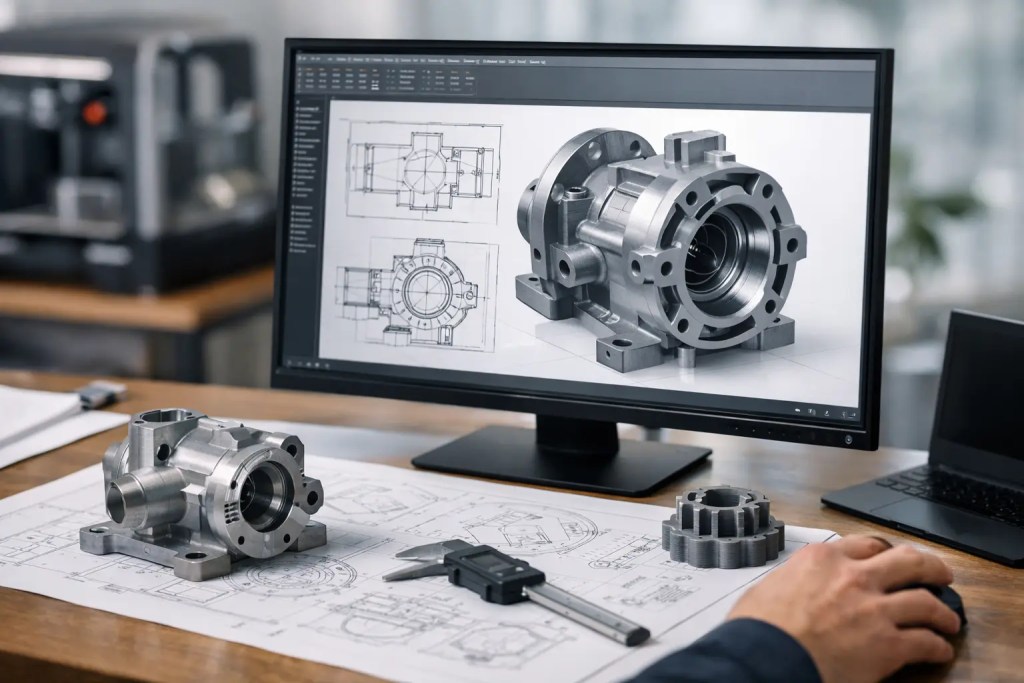
A CAD file is not just a shape. It is the instruction set that tells a manufacturing partner what the part is, how precise it must be, and whether the selected process can produce it consistently.
When file preparation is done well, quoting is faster because geometry is readable and requirements are clear. Manufacturability review is more accurate because the part can be assessed against real process limits. Production is more predictable because there is less ambiguity around wall thickness, tolerances, orientation-sensitive features, and finishing allowances.
When preparation is rushed, the same part can trigger multiple rounds of clarification. A mesh may be too coarse for a precision feature. A solid body may contain gaps that break toolpath generation. Threads may be modeled in a way that adds cost without improving performance. None of these issues are unusual, but each one adds time.
Guide to CAD file preparation by manufacturing process
The right file depends on how the part will be made. That sounds obvious, but many delays happen because a file is technically valid while still being poorly suited to the chosen process.
For additive manufacturing, STL and 3MF are common because they translate the model into tessellated geometry. They work well for many polymer 3D printing workflows, especially when the main requirement is printable shape. But they are not ideal for every case. If your part has tight tolerances, machined interfaces, or may move between additive and conventional manufacturing, a native CAD file or a neutral solid format such as STEP usually preserves design intent better.
For CNC machining, STEP is typically the safer submission format because machinists need true geometry rather than triangulated surfaces. A mesh can describe the outside of a part, but it does not communicate design features as cleanly as a solid model. The same logic applies to tooling, molded parts, and production handoff across teams.
If a part may be printed first and machined later, or evaluated across multiple processes, submit the solid model whenever possible and include the mesh only if needed for reference. That keeps options open.
Choose the right export format
STL is widely accepted, but export quality matters. A low-resolution STL can turn arcs into visible facets and distort critical geometry. A very high-resolution STL can create unnecessarily large files without meaningful manufacturing benefit. The target is a mesh fine enough to preserve geometry but efficient enough to process quickly.
STEP is generally the preferred neutral format for solid models because it transfers well across CAD platforms. IGES still appears in some workflows, but it is less reliable for complex solid geometry. If you are sending a part for machining, molding, or a cross-process review, STEP is usually the better default.
Native CAD files can also be useful when the manufacturing partner may need to assess design revisions quickly. That said, native files work best when both sides can support the same software environment and revision control is clear.
Geometry checks that prevent rework
Most manufacturability issues are visible before the file leaves engineering. A short validation pass catches the majority of them.
Start with body integrity. The model should be a closed, watertight solid if it is intended to represent a finished part. Surface gaps, non-manifold edges, flipped normals, and intersecting bodies are common export problems, especially when models have been modified repeatedly or converted between systems.
Wall thickness is the next checkpoint. Thin sections that look acceptable on screen may warp, fail, or fall outside process capability in production. Minimum thickness depends on both process and material. A thin rib in PA12 on MJF behaves differently from the same feature in SLA resin or SS316L on metal SLM. That is why generic design rules are only a starting point.
Pay close attention to small holes, embossed text, snap features, and sharp internal corners. These details often need process-specific adjustment. A hole modeled at nominal size may print undersized and need post-machining. A sharp inside corner may be impossible to machine without a very small tool, which increases time and cost. A fine raised logo may disappear after surface finishing.
Assemblies also need review before upload. If multiple components are exported together, confirm whether they are meant to be separate parts, a fixed assembly, or a print-in-place mechanism. Files that do not communicate this clearly often create preventable delays at quote review.
Tolerances, fit, and functional intent
Good CAD preparation is not only about clean geometry. It is also about communicating what matters.
Not every feature needs the same tolerance. If every dimension is treated as critical, cost rises quickly and process selection narrows. Instead, identify the surfaces that control function – bearing fits, sealing faces, alignment features, mating holes, thread locations, or machined datums. Those are the dimensions that should be called out clearly in drawings or notes.
For additive parts, it is especially important to distinguish between as-printed requirements and post-processed requirements. A press-fit feature that works after reaming may not be realistic straight off the machine. A cosmetic face may need sanding or vapor smoothing if surface quality is part of the requirement. If those expectations are not specified, the quote may not reflect the actual finishing route.
This is where engineering teams save time by being explicit. State the critical tolerances, the non-critical ones, and the intended use case. A prototype for ergonomic evaluation does not need the same control plan as an end-use production component.
Prepare supporting documentation with the file
If the part has inspection-critical features, include a drawing. If orientation matters for appearance or strength, note it. If a tapped hole should be machined after printing, say so. These are small additions, but they reduce interpretation risk.
A concise manufacturing note set is often enough. Include quantity, material, process preference if known, finish requirement, tolerance callouts, and any features that must not be modified during manufacturability adjustment. Overloading the file package with unnecessary notes is not helpful, but under-defining the part is worse.
Common mistakes in a guide to CAD file preparation
One of the most common mistakes is designing to software defaults instead of process capability. A model may be dimensionally perfect in CAD and still be difficult to print, machine, cast, or mold efficiently.
Another issue is exporting the wrong revision. In fast-moving product teams, file naming and revision control are not administrative details. They are production controls. If the wrong revision reaches manufacturing, even a perfectly prepared file creates the wrong part.
Thread modeling is another area where judgment matters. Fully modeled threads can be useful for visualization and certain printed applications, but they also increase file complexity. For many machined or post-processed parts, thread callouts in the drawing are more practical than modeling every thread form.
Teams also underestimate the effect of post-processing. If bead blasting, machining, anodizing, painting, or polishing will be applied, the model should reflect any stock allowance or surface condition requirement. A part that is dimensionally correct before finishing may not remain correct after finishing.
A practical file release checklist
Before sending a job for quote or production, confirm five things. First, the file format matches the intended process. Second, the geometry is clean and manufacturable. Third, critical tolerances and fit requirements are documented. Fourth, the correct revision is released. Fifth, any finishing or secondary operations are clearly stated.
That checklist is simple, but it aligns design data with production reality. In an ISO 9001:2015-controlled workflow, that alignment is what supports repeatability, traceability, and predictable turnaround.
For teams using a partner such as Additive3D Asia across polymer 3D printing, metal additive manufacturing, CNC machining, and finishing, good CAD preparation does more than speed up quoting. It helps route the part to the right process from the start, which reduces iteration loops and keeps procurement moving.
The best file is not the most detailed one. It is the one that communicates design intent clearly, matches the process, and leaves as little room for interpretation as possible. That is how engineering teams move from upload to shipped parts with fewer surprises.