

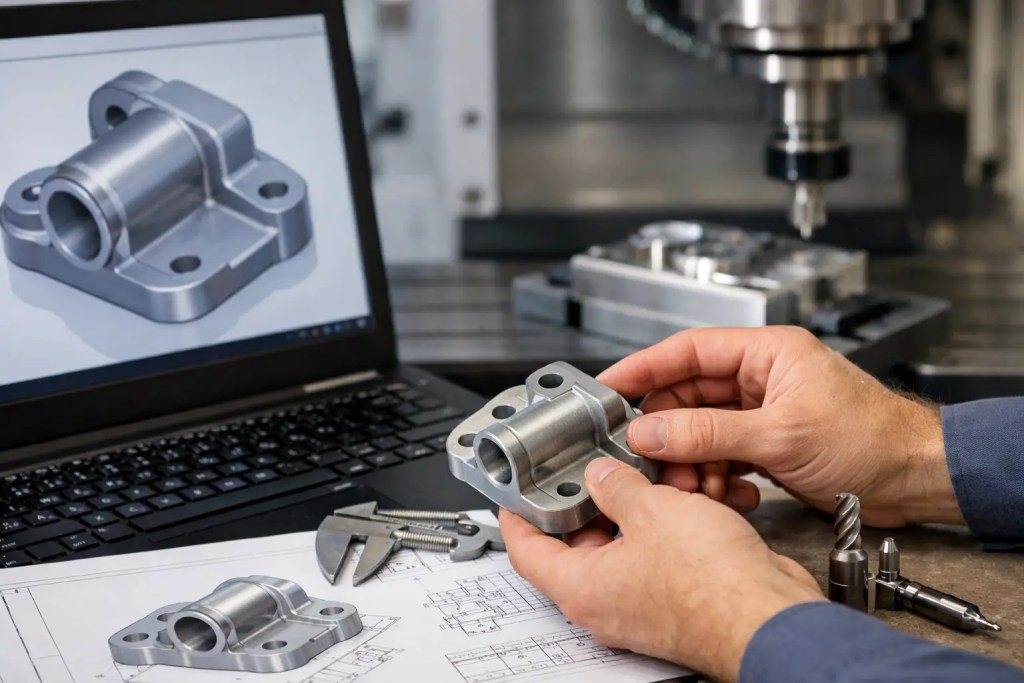
A STEP file can look perfectly fine on screen and still create avoidable delays once it reaches the machine shop. Most CNC issues start earlier – with incomplete geometry, unclear tolerances, or design details that force unnecessary setup changes. If you want faster quoting, fewer engineering questions, and more predictable parts, you need to know how to prepare STEP files for CNC machining before upload.
For engineering teams, this is less about file conversion and more about manufacturing intent. A production-ready STEP model should communicate the part clearly enough that a machinist, CAM programmer, and quality team all interpret it the same way. That means clean solid geometry, realistic features, and supporting information that matches the function of the part.
How to prepare STEP files for CNC machining without rework
The first checkpoint is file integrity. Your STEP file should export as a true solid body, not a collection of open surfaces or stitched patches that may fail in CAM. If the model imports with missing faces, non-manifold edges, or tiny sliver surfaces, the part may require manual repair before programming begins. That adds time, and it can introduce interpretation risk if the original design intent is not obvious.
Before sending the file, open the exported STEP in a neutral viewer or a separate CAD environment. This extra check catches translation errors that do not appear in the native CAD file. It is especially useful when the model includes fillets, patterned features, imported geometry, or edits layered over older revisions.
Units are another common problem. A part modeled in millimeters but interpreted as inches will fail immediately, but subtler issues happen too. Geometry may scale correctly while tolerance expectations, stock assumptions, or hole callouts remain unclear. Confirm the model units and keep them consistent with your drawing, RFQ notes, and inspection requirements.
Keep the model as simple as the machining process allows
A STEP file should represent the finished machined part, but it does not need to carry unnecessary complexity. Suppress cosmetic details that do not affect function, such as logo embossing, tiny aesthetic fillets, or threads that will be called out separately. Over-modeling can slow toolpath generation and create confusion about what actually needs to be machined.
That said, simplification has limits. If a feature affects fit, sealing, assembly alignment, or tool access, it needs to stay in the model. The right balance depends on the application. A cosmetic consumer housing can tolerate more interpretation than a fixture plate, manifold, or tight-tolerance mechanical assembly.
Geometry checks that matter in CNC machining
Sharp internal corners are one of the fastest ways to signal that a file was designed without machining in mind. Standard end mills cut radiused internal corners, so a square inside corner usually means either secondary EDM work, very small tooling, or a design change. If the mating part truly needs a sharp corner, call it out clearly. If not, add a realistic internal radius and reduce cost immediately.
Deep narrow pockets deserve the same scrutiny. A pocket may be easy to model but difficult to machine efficiently if the tool diameter is too small relative to depth. Excessive depth-to-width ratios increase chatter, cycle time, and tool deflection. In practice, broadening the pocket slightly or reducing depth can make the part far more stable to produce.
Thin walls also need a reality check. In CAD, they look clean. On the machine, they can vibrate, deform, or move out of tolerance during cutting, especially in aluminum and plastics. Minimum wall thickness depends on material, feature height, and how the part is clamped, so there is no universal number. But if a wall looks fragile in the model, it will usually be fragile in production too.
Holes should be modeled with manufacturing logic. Use standard drill sizes where possible, and avoid odd diameters unless the function requires them. Very deep small-diameter holes, cross-drilled intersections, and flat-bottom blind holes all deserve attention because they may require special tooling or alternative methods. If a hole is critical for dowel location, press fit, or fluid flow, make that clear in the drawing or notes rather than expecting the STEP file alone to carry the full requirement.
Threads, chamfers, and edge conditions
Most CNC suppliers do not need helical thread geometry modeled into the STEP file unless the thread form itself is functionally critical. For standard internal or external threads, a cosmetic diameter with a thread callout on the drawing is usually the cleaner approach. This reduces file size and avoids translation issues while still communicating what needs to be tapped or thread milled.
Chamfers and edge breaks should also reflect function. If every edge is labeled differently, the part becomes harder to inspect and more expensive to program. Apply specific edge conditions only where they matter for assembly, handling, sealing, or aesthetics. For everything else, a general deburr note may be enough.
Tolerances and notes should match the part’s purpose
A STEP file is only part of the manufacturing package. If your tolerances live only in email or are assumed from prior jobs, you create room for interpretation. Critical dimensions should be documented in a drawing or clear manufacturing note set, especially for bearing fits, datum-controlled features, flatness requirements, and surfaces that interact with other parts.
This is where many projects become more expensive than necessary. Engineers sometimes apply tight tolerances across the entire part when only two or three features actually matter. That drives slower machining, additional inspection, and possible secondary operations. A better approach is to hold tight tolerances only on features tied to fit and function, then use reasonable general tolerances elsewhere.
Surface finish requirements need the same discipline. If you need a machined Ra value, a bead-blasted cosmetic finish, anodizing, passivation, or masking on selected surfaces, define it clearly. Different finishes can change dimensions slightly, and some finishing sequences affect edge sharpness, thread quality, or inspection timing. The STEP file shows geometry, but not enough about downstream process intent on its own.
Material and revision control
Material selection should always accompany the STEP file. A model without material is incomplete from a manufacturing perspective because machining strategy, tooling, feeds, inspection risk, and finishing options all depend on it. Aluminum 6061, stainless steel 316L, POM, and tool steel may share the same geometry but behave very differently in production.
Revision control is just as important. The file name, drawing revision, and RFQ notes should match exactly. If the shop receives STEP Rev C and drawing Rev B, production pauses for clarification. A simple naming convention such as partnumber-rev-material can prevent that issue before it starts.
For teams moving quickly between prototype and low-volume production, this matters even more. Prototype files often include temporary decisions, oversized stock assumptions, or placeholder notes. Before release, remove outdated geometry, archive old revisions properly, and send only the current approved package.
What machinists look for when reviewing STEP files
A machinist reviewing your STEP file is usually asking practical questions. Can this part be held securely? Can all required faces be reached with standard tools? Do the tolerances justify the process and setup count? Are there features that suggest the design may be better suited to another process, or to a hybrid workflow that combines CNC machining with additive manufacturing?
That last point is worth considering. Some parts are more efficient when complex internal geometry is 3D printed and critical interfaces are machined afterward. Others should be machined from solid because they need tighter tolerances, better surface integrity, or a familiar production route for qualification. An engineering-led supplier with both additive and conventional capability can usually spot that trade-off early, which reduces iteration time and procurement friction.
A practical pre-upload check for CNC-ready STEP files
Before submitting the file for quote or production, verify five things: the STEP exports as a clean solid, units are correct, nonessential cosmetic details are removed, critical tolerances and finishes are documented, and the revision matches all supporting files. That quick review solves most avoidable issues.
If the part is complex, add one short note explaining what matters most. It might be a sealing face, a bearing bore, a cosmetic front surface, or a datum scheme that controls the rest of the geometry. That context helps the manufacturing team prioritize correctly from programming through inspection.
At Additive3D Asia, we see the best project outcomes when CAD data, tolerances, and process intent arrive aligned from the start. A clean STEP file does more than speed up quoting – it gives the machine shop a stable foundation to deliver accurate parts on schedule. When your file reflects how the part will actually be made, production gets faster, communication gets shorter, and the first article is much more likely to be the right one.